Home
AI Video Translation AI Speech to Text AI Subtitle Translation AI Text to Speech AI Video Summarizer Subtitle Remover Video Clipper
Pricing Documentation News About
Start Translating
Text-to-Speech

AI Text-to-Speech
Generate Natural Speech with One Click

Enter text or paste a link, and let AI generate natural speech instantly.Browse 300+ voice talents with card previews across 34+ languages. Adjust speed as you like and export as MP3 for direct use.
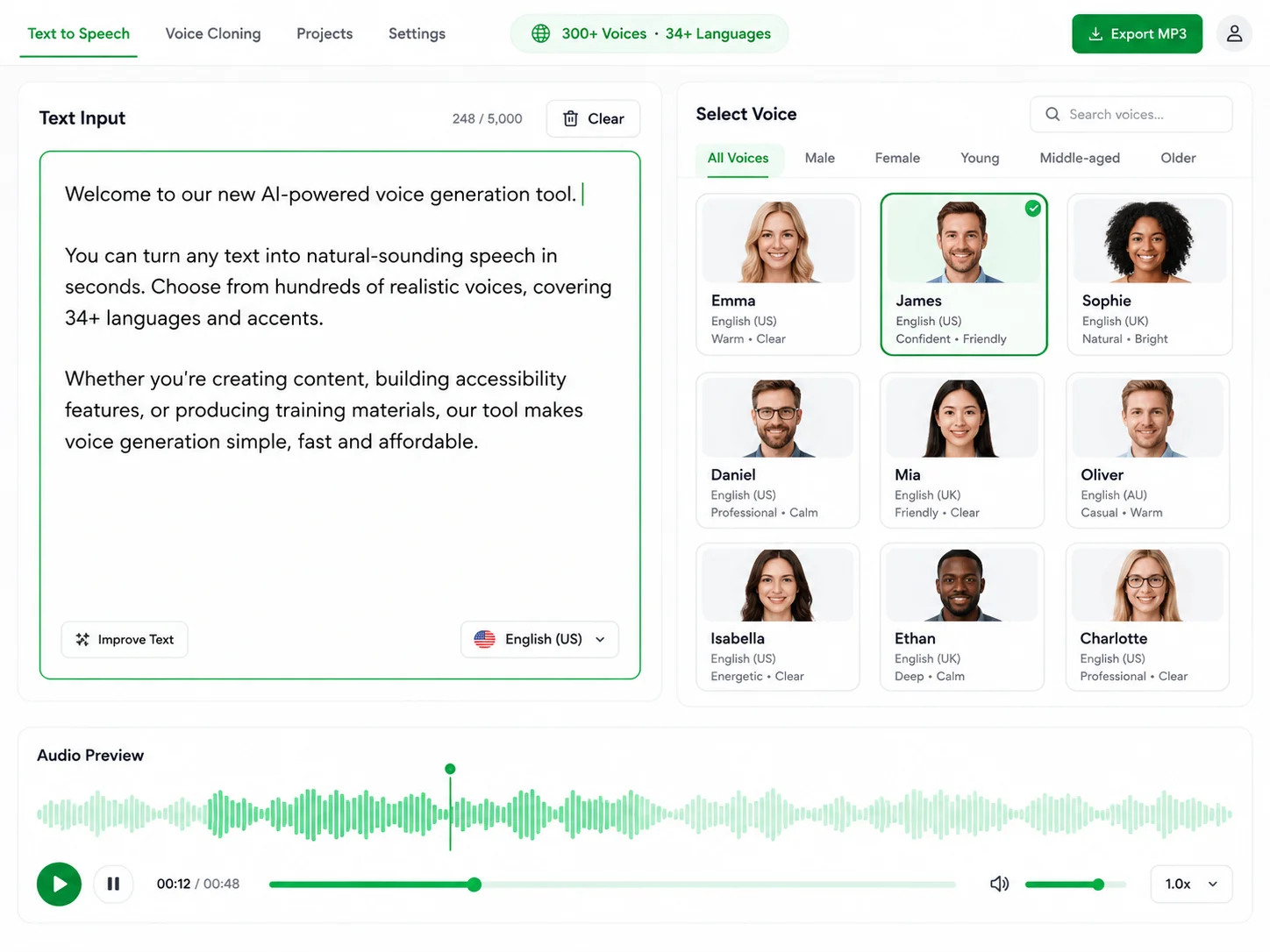
AI Text-to-Speech Workbench
Generated MP3 Voiceover
Here's How to Use It

From Narration to Audiobooks — Find Your Voice

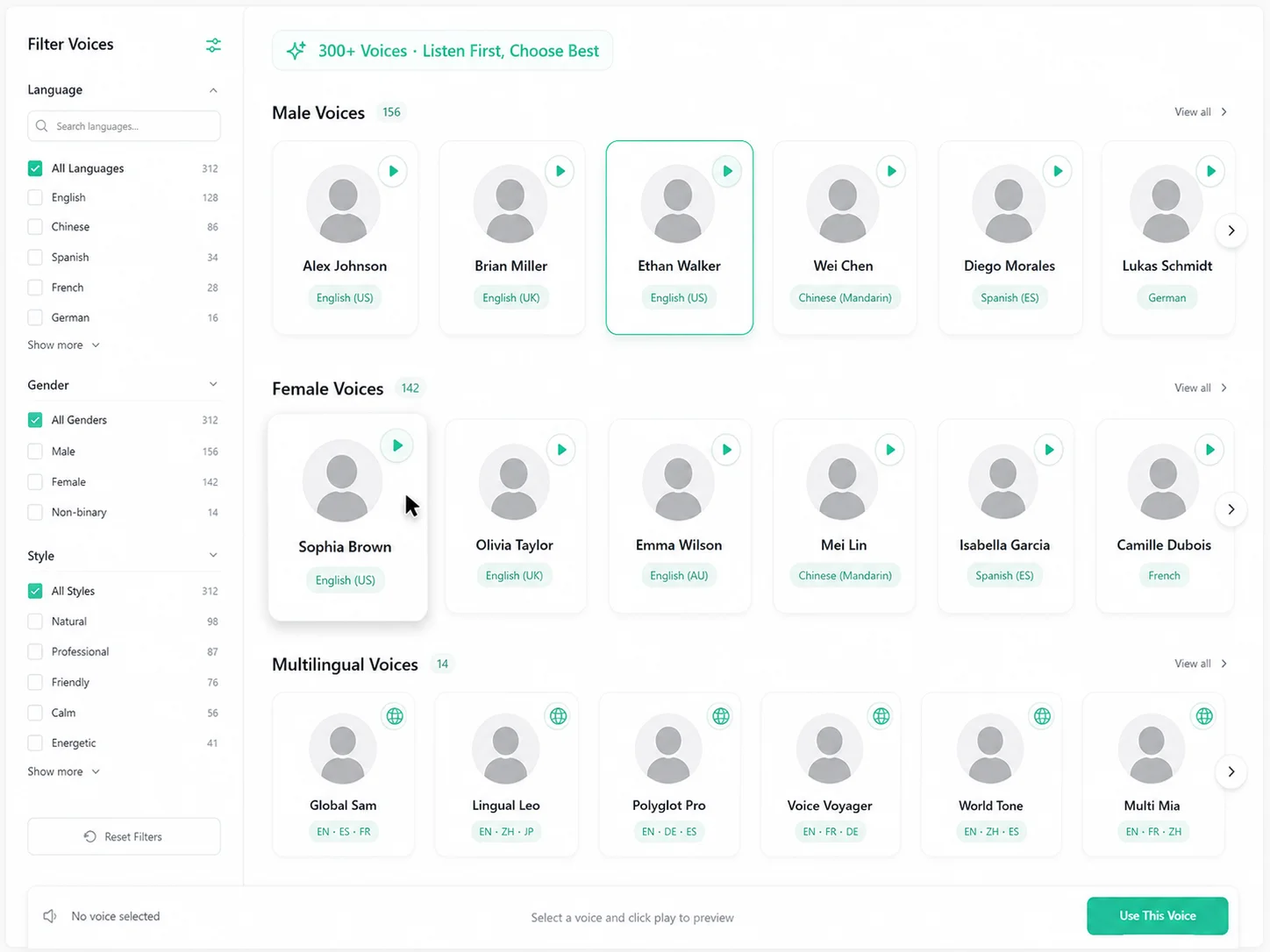
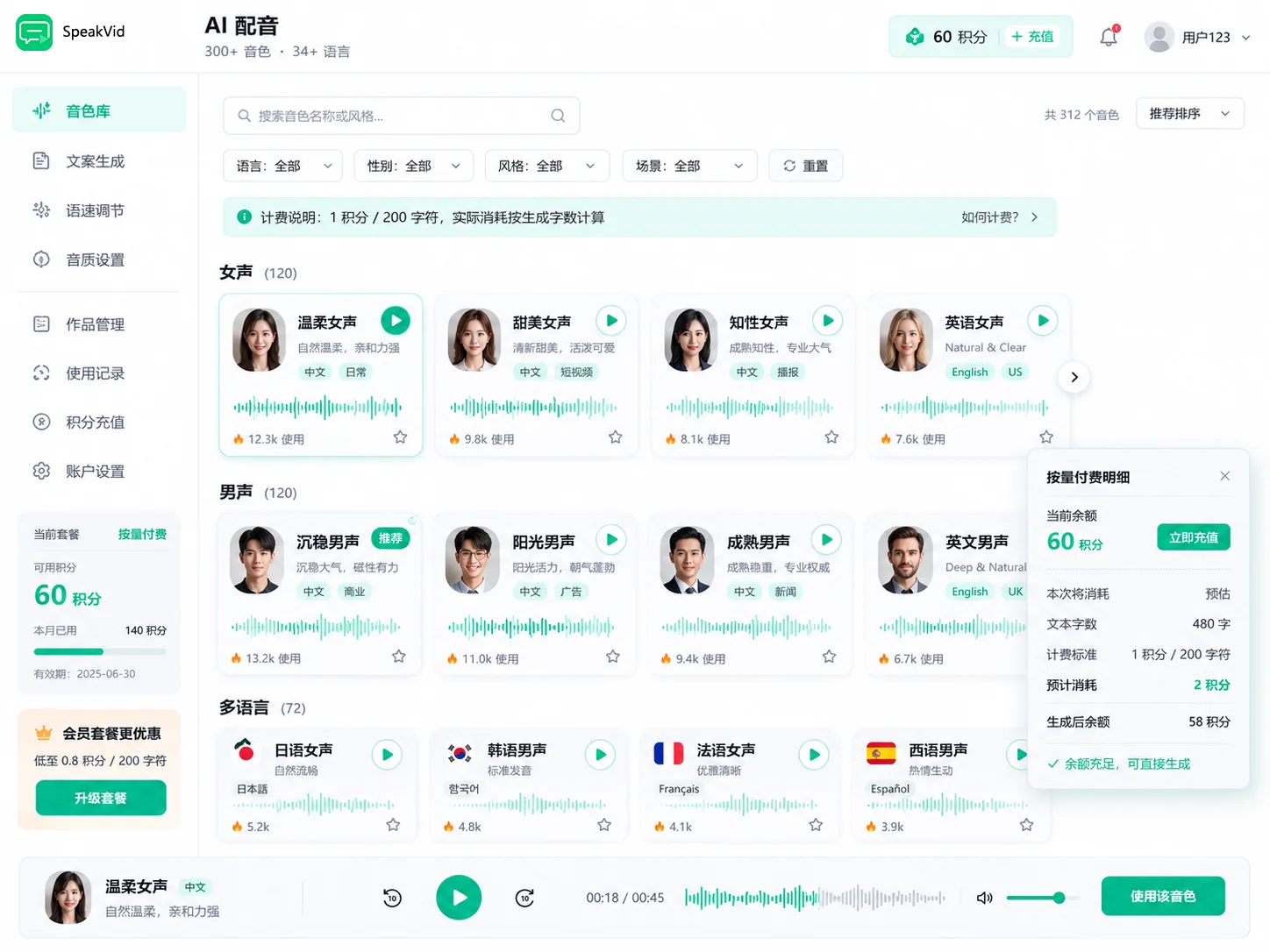
300+ Voice Talents, Listen Before You Choose

Browse a vast collection of voice cards sorted by category, featuring male and female voices in multiple languages. Click any card to preview, and select your favorite. Find the perfect voice before you start recording.

  • Voice cards categorized by language/gender, instant search results
  • One-click preview, add favorites to your collection for instant access next time
  • Voice Variant Switching, Multiple Styles from the Same Speaker
Perfect for: short-form video voiceovers, audiobooks, ad narrations, and game commentary
300+ Voices · Listen Before You Choose
Voice Preview Interface

Adjust Speed Freely, Control the Pace

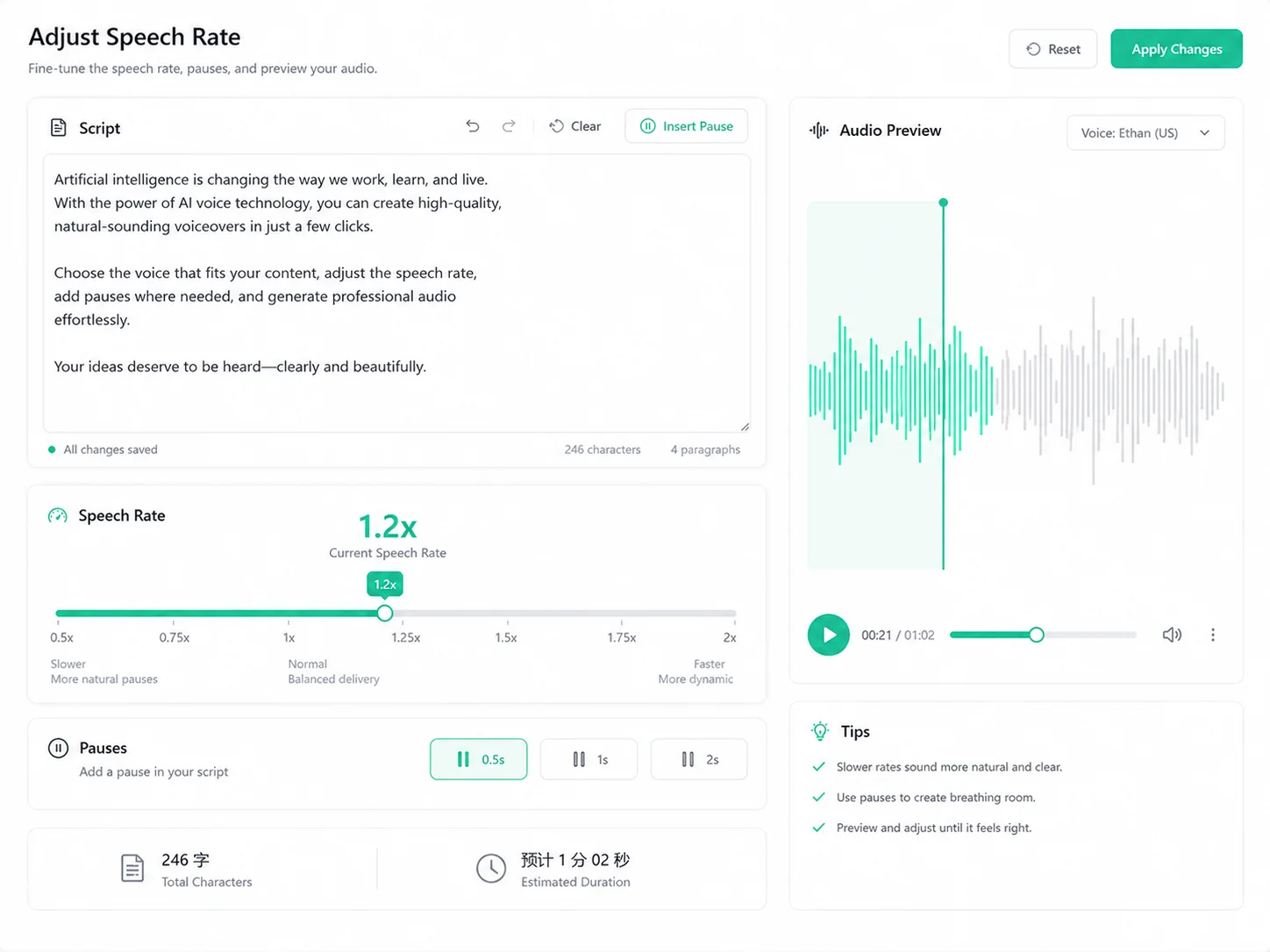
A 0.5x–2x speed slider with fine-grained control. Compare speed effects in real time and find the perfect rhythm for your content—maximizing that natural reading feel.

  • 0.5x–2x Seamless Adjustment with Real-Time Speed Display
  • Insert Pause Markers: Choose 0.5s / 1s / 2s
  • Word Count + Estimated Duration, Stay in Control
Perfect for: Course Lectures, Podcast Narrations, Audio Content Production
0.5x–2x · Pause Control
Speech Speed Adjustment Interface

AI Writes for Me, No More Copywriting Worries

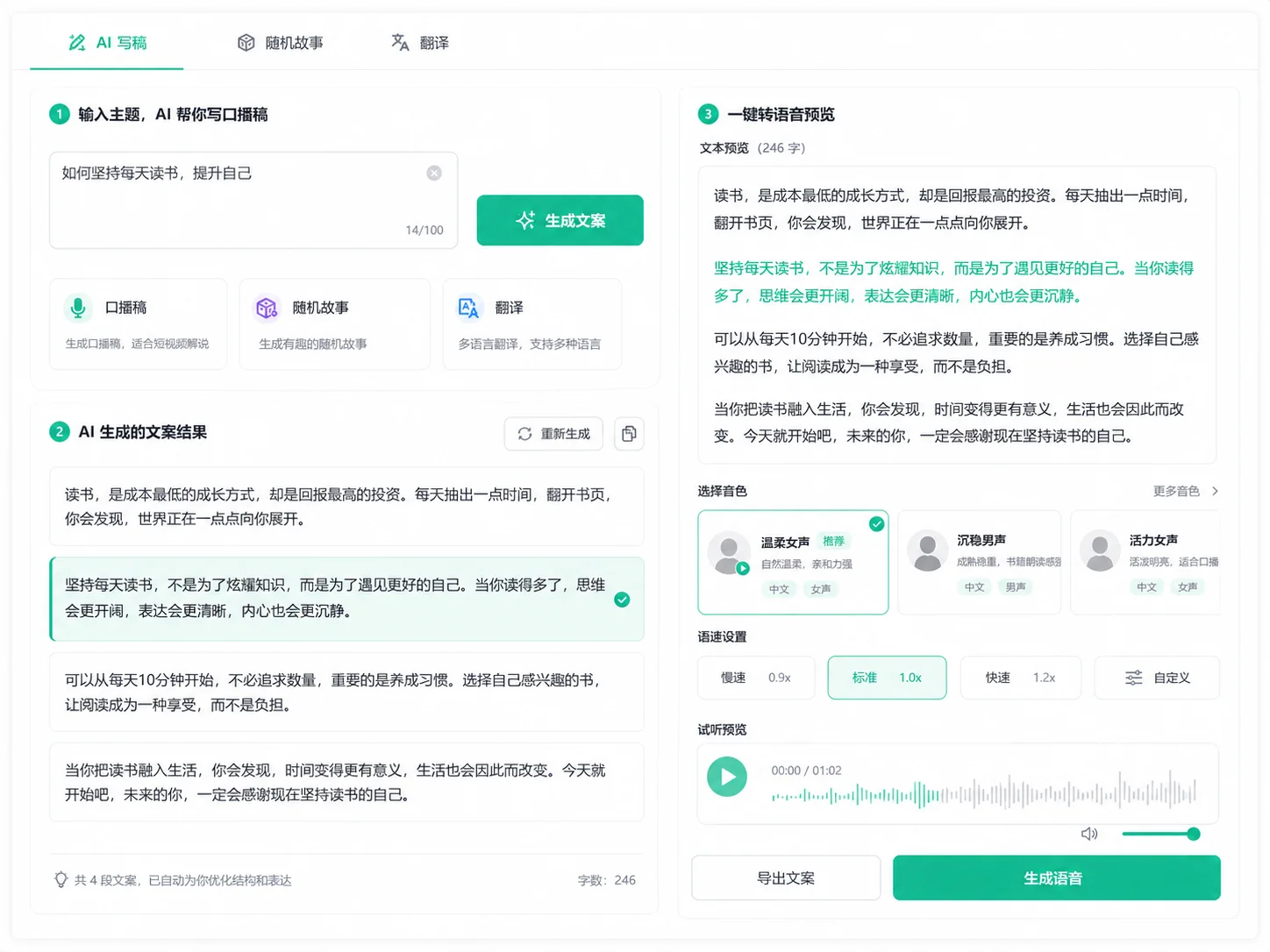
Don't know what to write? Let AI help. Enter a topic to instantly generate a voiceover script, or randomly generate stories and convert them to speech directly. Keep the inspiration flowing.

  • AI Copywriting: Get copy from a topic, multiple styles available
  • Random Stories: Generate short stories with one click, voiceover material at your fingertips
  • One-Click Translation: Write in any language, translate to multiple languages for voiceover
Perfect for: short-form video creators, content creators, and channel managers
AI Copywriting · Random Stories · Translation
AI Copywriting Interface

Studio-Grade Voices, Audio Quality at Your Fingertips

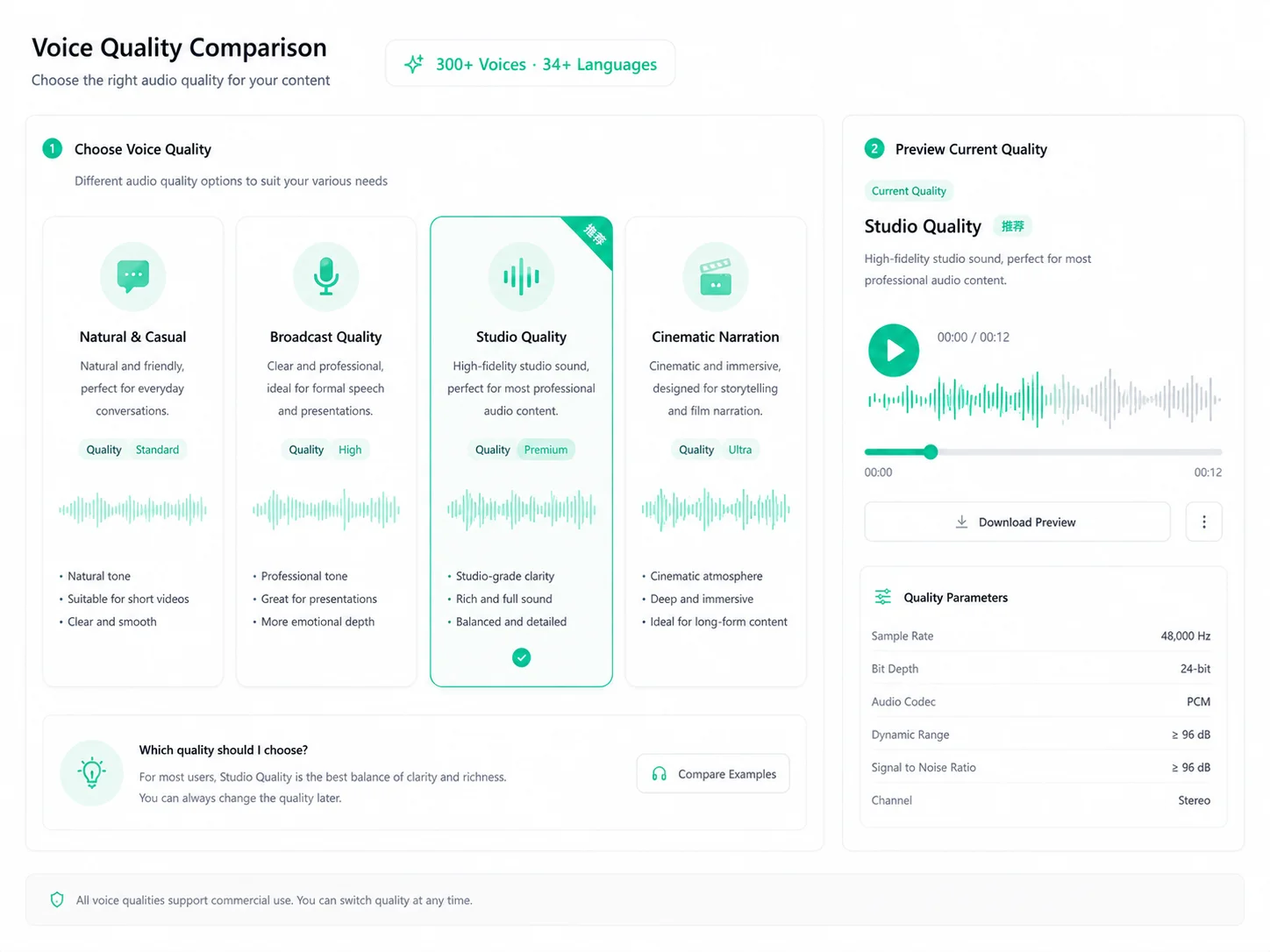
From natural everyday tones to premium studio voices — find the sound that fits your content. The same text, a different voice, a whole new listening experience.

  • 300+ voices across 34+ languages, ready out of the box.
  • Premium studio-quality voices with natural emotion, ready for commercial use.
  • Voice cloning included — upload a sample to create your own custom voice.
Perfect for: creators who demand premium audio quality and commercial voiceover needs
300+ Voices · 34+ Languages
Voice Selection Interface
Core Capability 01

Start Free,
Pay Only for What You Use

A rich voice library covering 34+ languages including English, Chinese, Japanese, and Korean. Natural, fluent voices — no setup, no limits, just start generating.

AI voice generator
Core Capability 02

Studio-Grade Audio
The Pinnacle of Audio Quality

Human-like voices with natural emotion, ready for commercial use. Perfect for audiobooks, ads, and professional dubbing — with exclusive voice cloning capabilities.

Studio-Grade Audio
Smart Editing

Undo & Redo, Create Freely

Undo and redo anytime you make a mistake, insert pauses to control the rhythm, get real-time word count and duration stats, and clear everything with one click to start fresh.

ActionDescriptionShortcut
↩ Undo / RedoUndo the last editCtrl+Z
⏸ Insert Pause0.5s / 1s / 2s markersOne-click insert
🔢 Word CountReal-time count + estimated durationAutomatic
🗑 Clear AllClear text and start overAuto
Quick Start

Voiceover in 3 Steps

01

Enter Text

Paste your script directly, or upload a TXT/SRT file

02

Choose a Voice

Listen before you choose from 300+ voices; adjust speed and pauses

03

Generate & Download

One-click MP3 synthesis; preview and download when satisfied

0Free Voices
0Supported Languages
0Voice Styles
0Free Credits on Signup
Pricing

Simple, usage-based pricing

Sign up and get 60 free credits, plus 1 free task every day. Pay only for what you use — failed tasks are never charged.

1 credit / 200 charsBilled per 200 characters, rounded up
No charge on failureCredits are only deducted when a task completes successfully
View full pricing →

FAQ

This online text to speech tool accepts pasted text or TXT, SRT, VTT, and MD files — up to 30,000 characters per session. Content is auto-detected and the text to audio conversion starts instantly.
Sign up and get 60 free credits, plus 30 more every month. Billed per 200 characters (1 credit / 200 chars). Failed tasks are never charged.
Supports 34+ languages including Chinese, English, Japanese, Korean, French, German, Spanish, and Portuguese, with corresponding voices for each language. Selecting a voice automatically matches the language, or you can specify it manually.
Absolutely! Adjust speed seamlessly from 0.5x to 2x, and insert 0.5s / 1s / 2s pause markers for a more natural pacing rhythm.
Yes. Upload a clear voice sample (10+ seconds) to create a personalized voice, then use it directly for dubbing — perfect for a consistent brand voice.
Start for Free

Text to Speech
Start Now

Type your first line and hear AI voiceover within 30 seconds

60 free credits on signup · No charge on failure
>